

Registrar General of India
The tablet app behind India's birth and death rates
India's birth and death rates come from the Sample Registration System: a sample of villages and urban blocks in every state, visited twice a year in a half-yearly survey and checked again in re-verification. We built the app the supervisors carry for those visits. It runs on hand-held devices made by Bharat Electronics (BEL), works entirely offline, and exchanges its data with ORGI's desktop module by pen drive, so a unit's households can be surveyed hours from the nearest signal.
What stood in the way
No network at the sample unit
Villages and blocks hours from a signal, so every visit had to be recorded, checked and stored on the device alone.
A unit's whole baseline on the device
Every house and household from the previous round, loaded and searched on the hand-held; one unit alone held 491 records.
Supervisors, not IT staff
Thousands of survey supervisors, many using a tablet for their job for the first time, moving data by pen drive.
Purpose-built hardware
Hand-held devices made by BEL for ORGI: the app had to be fast and frugal with battery on that one device.
Two roles, one app
The half-yearly survey and its re-verification are different jobs; the role is fixed at registration and can never be changed on the device.
Nothing lost between rounds
A unit is surveyed again and again; a re-import must never silently wipe a day's work.
From diagnosis to design
What we did
- An offline Android app for the BEL hand-held device
- The unit's data file, a zipped XML from ORGI's desktop module, added and imported from a pen drive
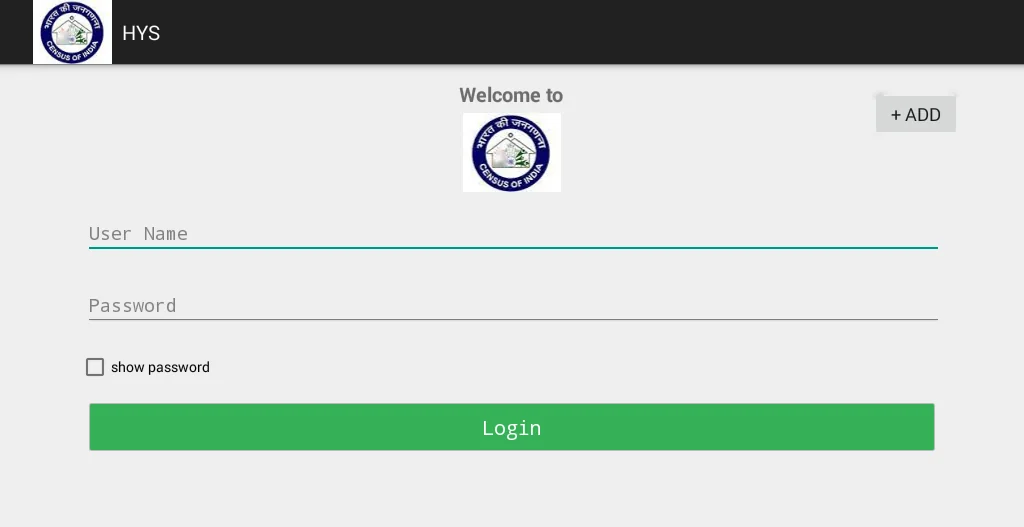
- Sign-in with supervisor, year, period (January to June, July to December, or both) and survey date; the role, survey or re-verification, is fixed at registration
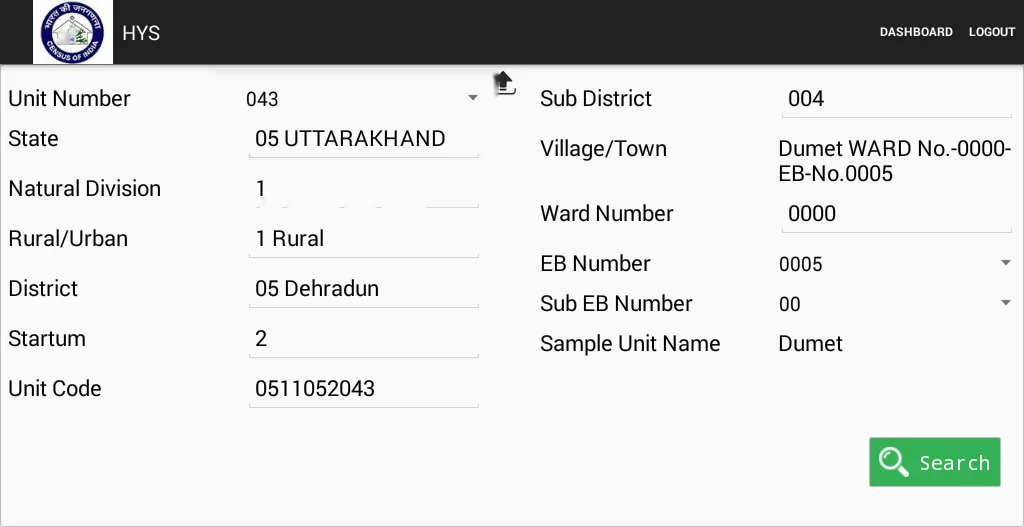
- Identification particulars of the unit, then every house and household from the previous round, listed for updating or marked not available
- Forms 1, 2, 3, 9 and 10 filled on the device; incomplete households parked and resumed
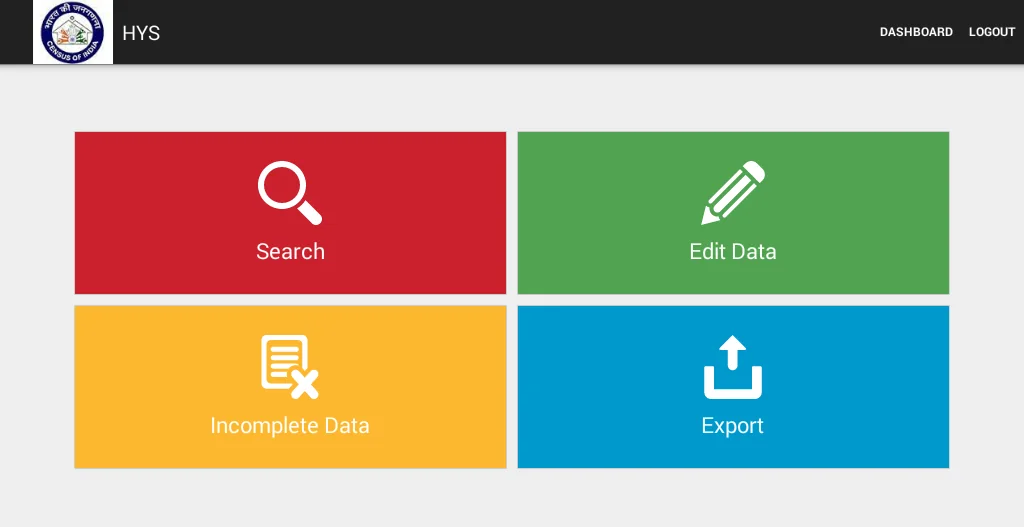
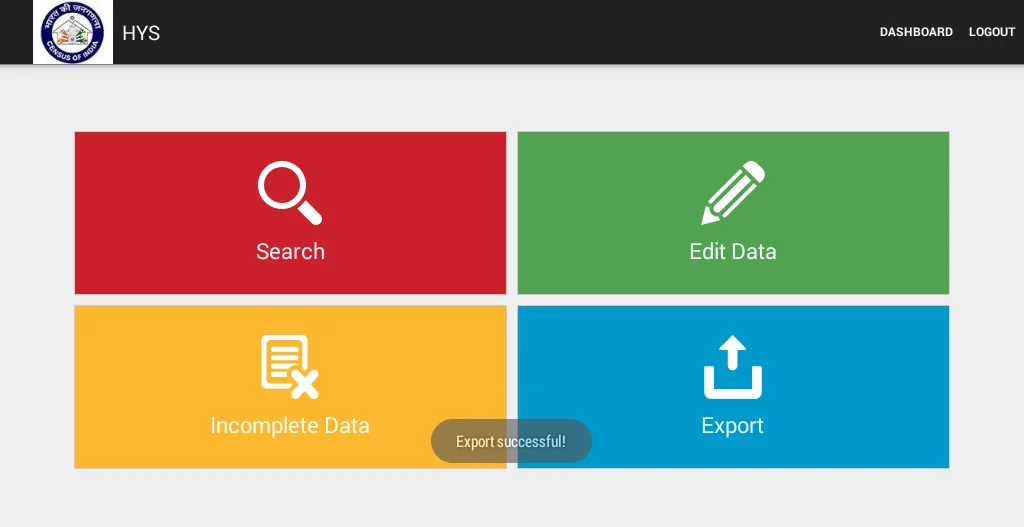
- A dashboard of four jobs: search, edit, incomplete data, export
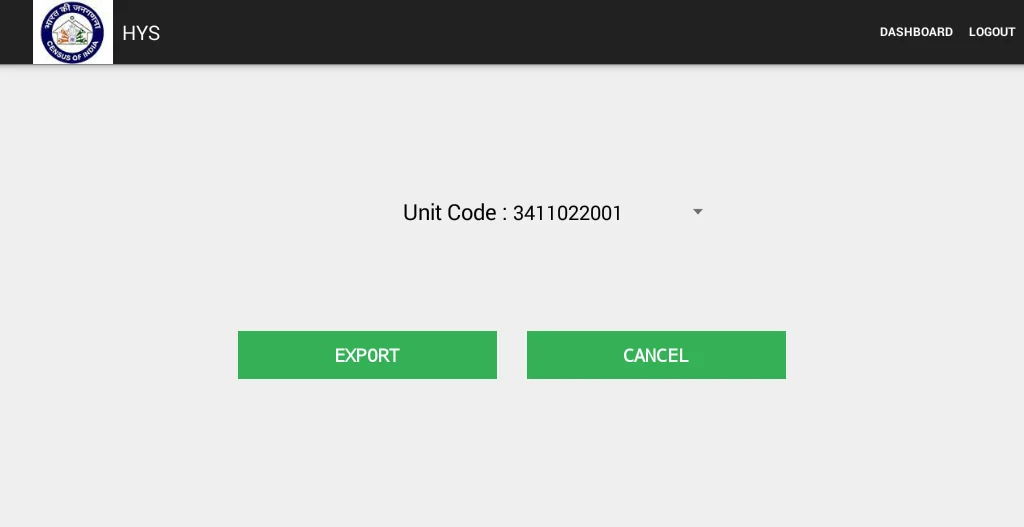
- Export as a zipped XML named for the unit, period and year, back to the pen drive for matching, re-verification and finalisation
What we found
- The survey happens where there is no network, so the device must hold everything
- Data moves by pen drive between the desktop module and the device, in both directions
- The same households are visited round after round, so last round's list must be on the device
- A re-import must never silently overwrite work already done
How it is built
- Prepare the unitThe desktop module registers the roleand writes the unit's data file
- Carry it overPen drive to the hand-held deviceadd the file, then import it
- Visit the householdsLast round's list, offlineforms filled on the device
- ExportZipped XML, unit, period and yearback on the pen drive
- Match and re-verifyEnumerator and survey comparedmismatches checked in the field
- FinaliseFinalised in the desktop moduleuploaded to the central server
What it does, screen by screen
One session, one unit, one period
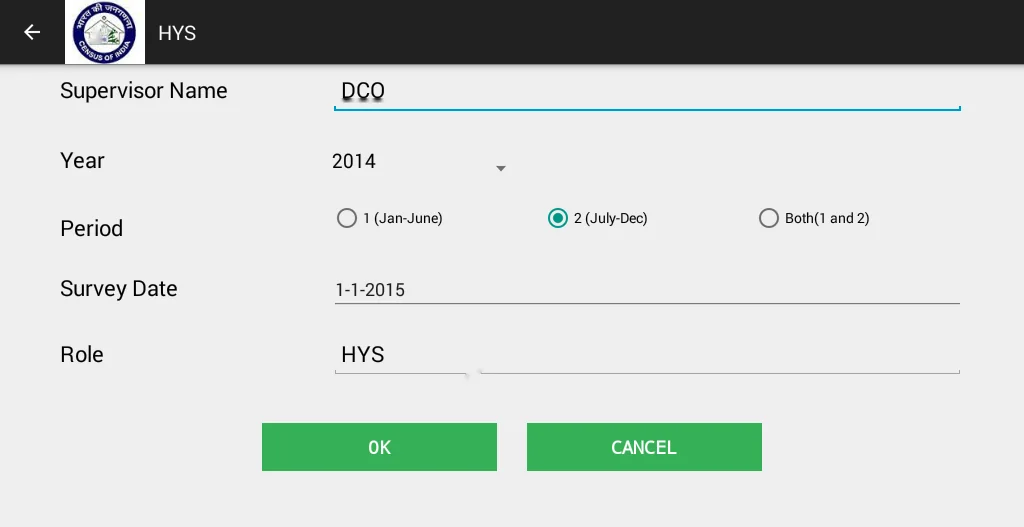
The supervisor's name, the year, the period and the survey date set the session. The role, half-yearly survey or re-verification, comes from the registration on the desktop module and cannot be changed on the device.
- January to June, July to December, or both
- Role shown, never edited
The unit's file, checked before it loads
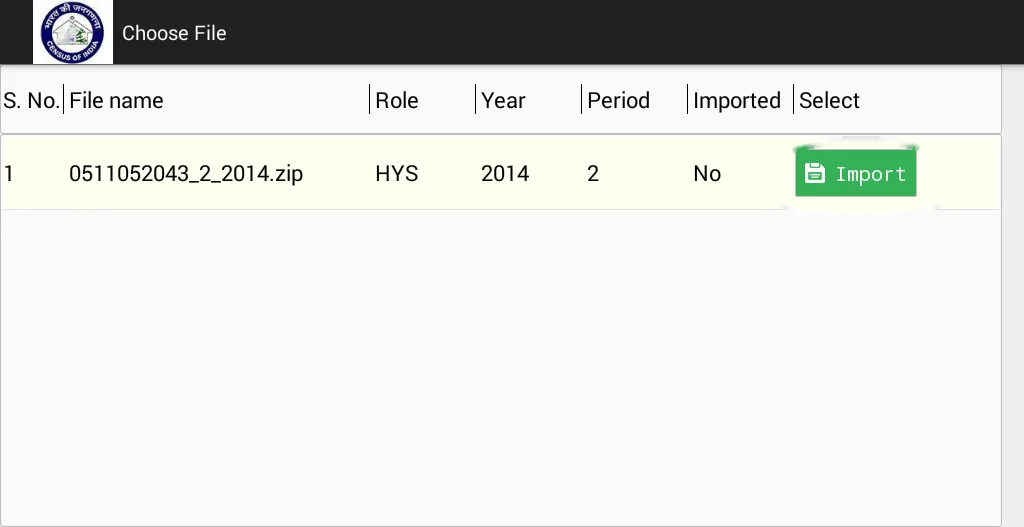
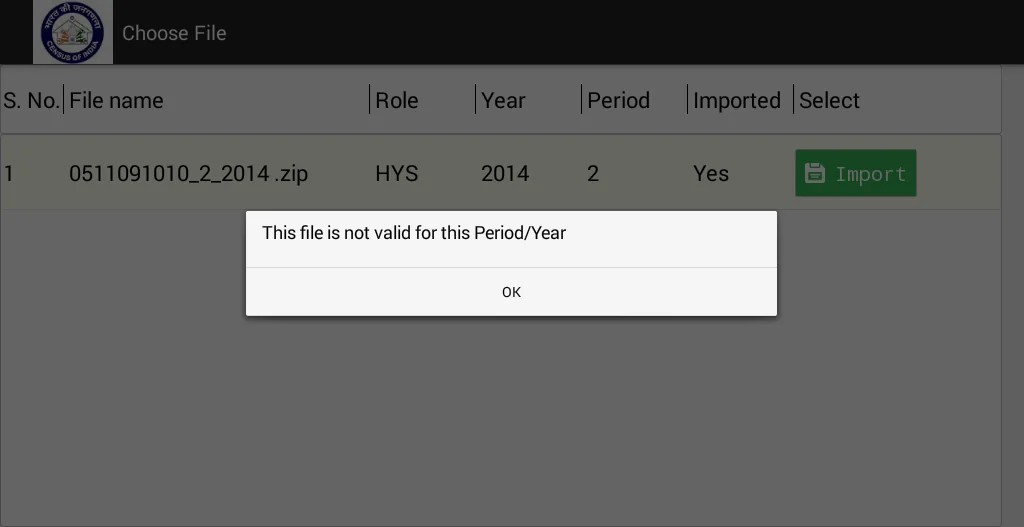
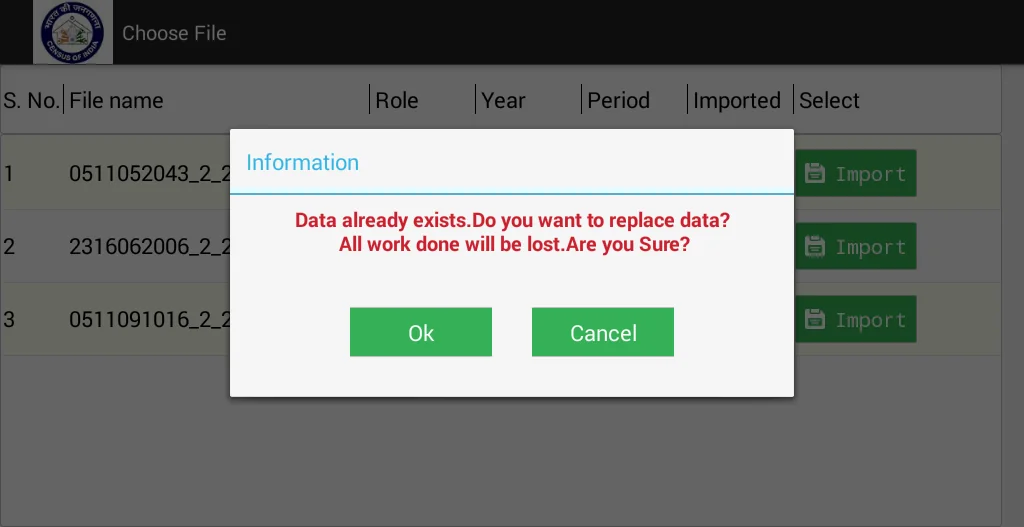
Files added from the pen drive are listed with their role, year and period. Import checks the file against the session: a wrong period is refused, and a re-import of a unit that already has work asks for confirmation twice.
- Several units on one device
- Nothing overwritten by accident
Last round's list, ready for this round
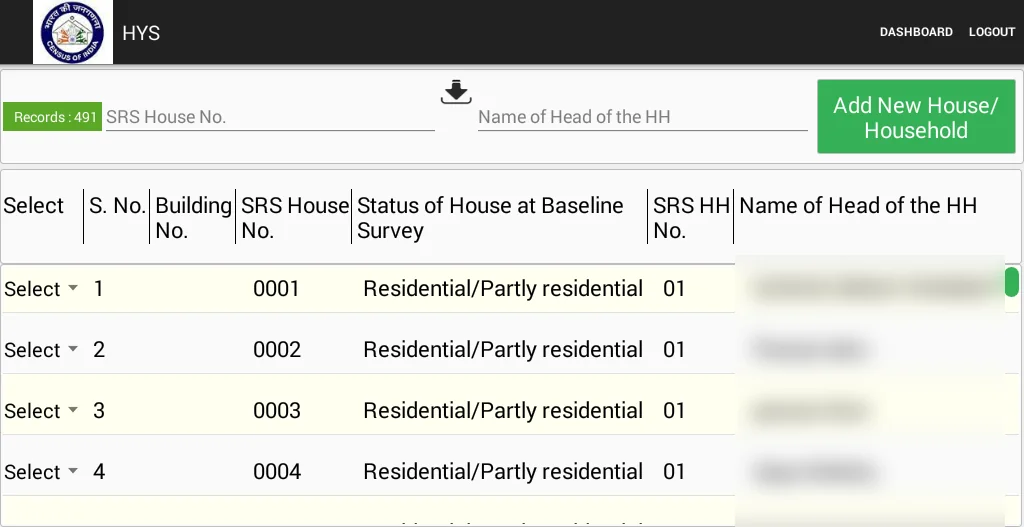
Every house and household from the previous survey, serially, with its status at the baseline. The supervisor marks each available or not, adds new houses and households, and fills the forms.
- Searchable by house number or head of household
- Forms 1, 2, 3, 9 and 10 on the device
Four jobs, nothing else
Search, edit completed households, return to incomplete ones, and export. The export writes a zipped XML named for the unit, period and year to the device's export folder, ready for the pen drive.
- Incomplete households kept apart
- Export in one tap
Built for the sample unit, not the office
Everything the supervisor needs is on the device before leaving: the unit's particulars, every house and household from the last round, and the forms. The day's work stays on the device until it is exported, and an import that would overwrite work asks twice.
- Runs on the BEL hand-held device issued to supervisors
- Data file in and out by pen drive, no network needed
- Houses and households from the previous round listed for updating
- Role fixed at registration: half-yearly survey or re-verification
Screens from the app
What the client gained
Works where the sample units are
Villages and blocks without a signal are surveyed on the spot, with nothing waiting on a network.
Same list, round after round
The previous round's houses and households are the starting point, so births, deaths and changes are recorded against a known baseline.
Two roles, one device
Half-yearly survey and re-verification run on the same app, with the role fixed by registration.
Nothing lost in transit
Work stays on the device until it is exported; an import that would overwrite it asks twice.
Technology

Tell us what you need to build, move or run.
An engineer reads every enquiry, not a sales script. We come back with an approach, a team and a plan you can hold us to.